Turn data into stories.
Upload your Google Forms results and let our engine build a professional dashboard in seconds — complete with cross-comparisons, live filters and AI insights.
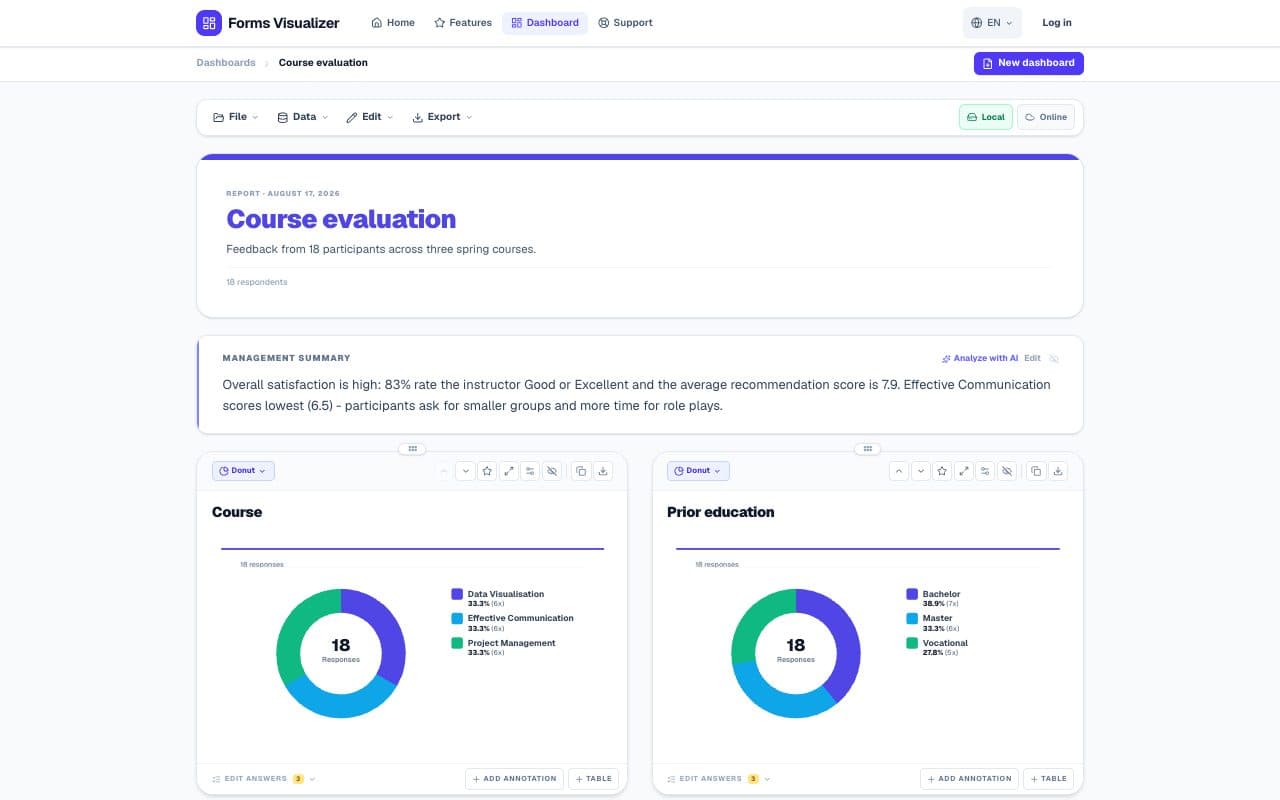
Done in three steps
From raw data to a professional report in under two minutes.
Upload your data
Paste a Google Sheets link or drag in a CSV/XLSX file. We recognize the structure automatically.
Configure your report
Choose which questions to show. Optionally set up cross-comparisons and dashboard filters.
Download & share
Export your dashboard as PDF, copy charts as PNG or let the AI write a summary.
Everything you need
Forms Visualizer is built for everyone who takes survey data seriously.
Upload anything
Paste a Google Sheets URL or drag in a CSV/XLSX file. Results in seconds.
Live filters
Mark category questions as a dashboard filter and filter the data in real time without reconfiguring.
Cross-comparisons
Split any chart by target group, age category or any other question with two clicks.
AI Executive Overview
Our AI analyzes all the data at once and writes a professional summary with the key insights.
22 chart types
From bar and donut to funnel, radar, waffle and word cloud. Switch per chart right in the dashboard, without setting anything up again.
Privacy by design
Answers are processed entirely in your browser and never reach our servers. Online we only keep your dashboard setup.
Works with your survey tool
Whether you use SurveyMonkey, Qualtrics, Google Forms or Typeform — Forms Visualizer recognizes the export format automatically and even processes complex matrix questions correctly.

New: Google Workspace add-on
Charts right inside Google Sheets and Google Forms
Install the free add-on: open the side panel, see charts of your responses right away and open the full dashboard in one click — no exporting or uploading.

SurveyMonkey
Survey market leader
Automatic 2-row header handling
Google Forms
Direct connector
Paste the Sheets link or import from Drive

Qualtrics
Enterprise research
3-row header recognized automatically

Typeform
Conversational surveys
CSV responses import

Microsoft Forms
Microsoft 365
Excel/CSV export in 2 clicks
LimeSurvey
Open source surveys
CSV UTF-8 export

JotForm
No-code forms
CSV/Excel submissions export

Formdesk
Dutch market
Semicolon CSV, Windows-1252

Alchemer
Formerly SurveyGizmo
Results CSV export
Any CSV / XLSX file
Universal parser
Automatic delimiter detection
Smart header handling built in
SurveyMonkey exports 2 header rows, Qualtrics 3. Forms Visualizer recognizes and processes them automatically into correct matrix questions — zero manual tinkering.
Simple Pricing, No Surprises
No hidden costs. Pay only for what you use.
Try for Free
Perfect for testing the tool.
- Max 20 rows per form
- Standard charts
- Watermarked PDF Export
- Online: latest 3 setups synced
Credit Bundle
Pay only for what you use.
- 1 credit = unlock 1 form
- Unlimited rows for unlocked forms
- Includes Executive Overview
- Unlocked dashboards stay saved online
Available instantly · iDEAL supported
Pro Plan
For active data analysts and HR.
- Unlimited forms
- No watermarks
- Priority support
- AI Executive Overview included
- Live dashboard filters
- Up to 50 online dashboards (without data)
- Priority email support
Just one form? Unlock a single form for €2.50 — no bundle needed.
Built for those who take data seriously
Whether you analyze a one-off survey or a quarterly measurement.
HR & employees
Satisfaction surveys per department, year or quarter. Cross-compare teams and track trends over time.
- Cross-tables per department
- Q1/Q2/Q3 comparison
- White-label PDF export
Research & education
Split results by target group, compare groups side by side and export publication-ready charts.
- Group comparison
- Matrix questions automatically
- Excel/PPTX export
Consultants & agencies
Deliver clients a professional dashboard. Create one template and reuse it for every client or measurement.
- Reusable templates
- Own branding & logo
- Professional PDF reports
Frequently asked questions
Forms Visualizer
Try for free · No account needed
Turn your first survey into
a professional report.
Free to try. No credit card needed.